
HubSpot Multi-Object Sales Import & CRM Association System
A custom HubSpot import system that transforms flat sales data into connected Companies, Deals and Line Items while matching or creating Product Library records and preserving the relationships between them.
Turning flat sales files into connected HubSpot CRM records.
A consumer goods company needed historical and ongoing sales data imported into HubSpot without losing the relationships between customers, transactions and products.
The source data arrived as flat CSV exports. A standard file import could move values into HubSpot, but the real requirement was more complex: each transaction needed to connect the correct Company, Deal and Line Item while also referencing the appropriate Product Library record.
ConsultEvo built a custom HubSpot import system that validates the incoming data, searches HubSpot for existing customer and product records, creates missing records when required, generates the corresponding sales transaction and builds the associations between them.
The result is structured CRM data rather than a collection of disconnected imported rows.
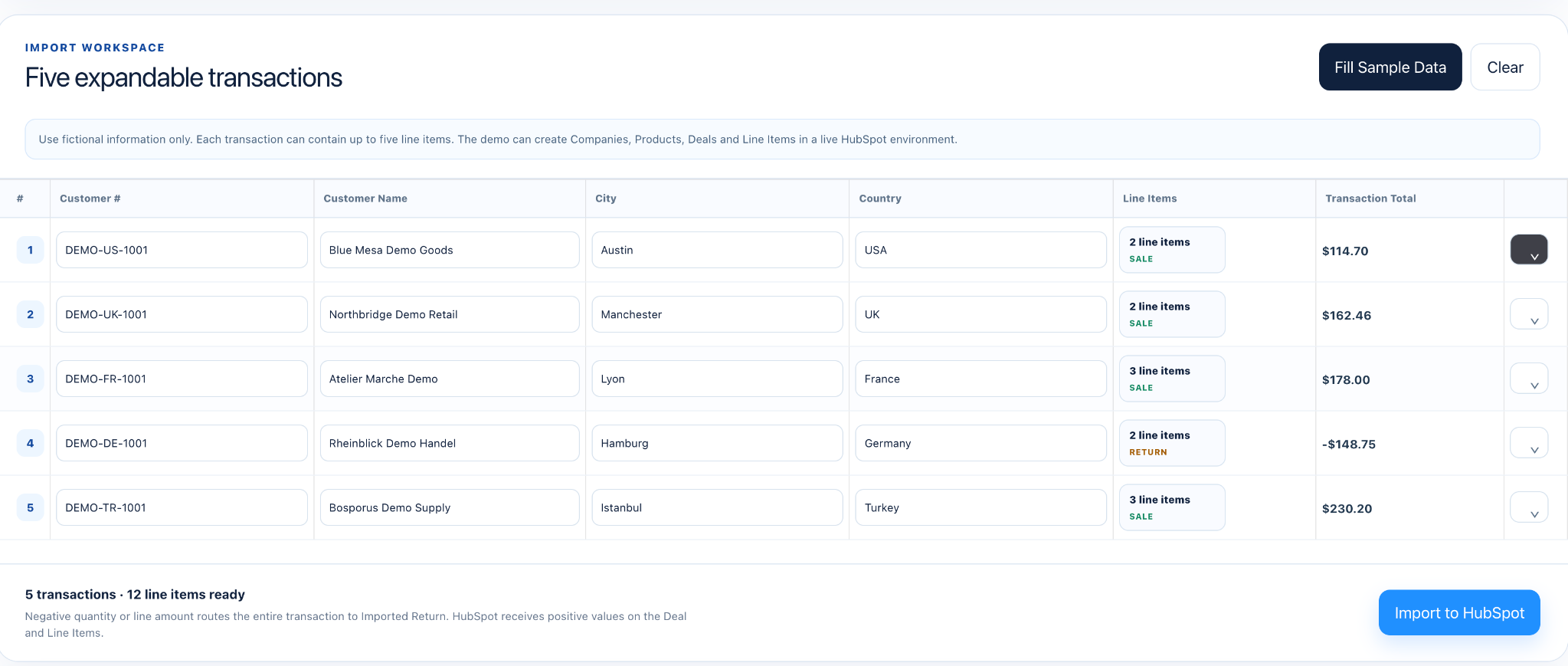
A spreadsheet row does not naturally become a connected CRM transaction.
The sales exports contained customer information, product information, transaction values, quantities and dates in a flat tabular format.
Inside HubSpot, however, that information belongs across several related record types.
A customer belongs to a Company. The transaction belongs to a Deal. Individual products sold are represented through Line Items, which reference records from HubSpot's Product Library.
The import therefore had to determine whether a Company or Product already existed, create it when it did not, create the Deal and Line Item records, and then preserve the correct associations between them.
The process also needed to handle returns, inconsistent CSV headers, invalid values, duplicate processing, missing records and API failures without silently losing data.

A validation and association layer between source sales data and HubSpot.
ConsultEvo built a custom import application around the HubSpot CRM API.
Each incoming transaction is validated before processing. The system searches HubSpot for the customer using a unique customer number and searches the Product Library using SKU.
When matching records already exist, they are reused. When they do not exist, the required Company or Product record can be created from the source data.
The system then creates the Deal, creates its Product-backed Line Item and builds the required HubSpot associations so the transaction becomes part of the customer's actual CRM history rather than an isolated imported record.
Positive transactions are routed into the completed sales workflow, while negative quantities or sales values are recognized as returns and routed separately.
The importer also includes progress tracking, retry handling, duplicate protection, header mapping, detailed processing logs and exception reporting so import problems can be identified and corrected rather than disappearing inside a bulk migration.

Repeatable HubSpot imports with the CRM relationships preserved automatically.
The finished system turned a previously flat sales dataset into structured HubSpot CRM records with the relevant customer, transaction and product relationships intact.
Existing Companies and Products could be matched automatically while missing records could be created as part of the same workflow. Deals and Product-backed Line Items were generated and associated without requiring the team to manually rebuild those relationships after each import.
Returns could be separated from completed sales, while validation and exception reporting made unsuccessful rows visible for review.
The result was a reusable import process capable of translating external sales data into the connected HubSpot data model required for reporting, customer visibility and ongoing CRM operations.


Built with
Let's build it around your actual workflow.
ConsultEvo designs operational systems, CRM, automation and AI around the process first, then connects the tools that need to do the work.